

This page is intended to be a minimal overview of the Anaconda distribution and jupyter-lab interface. For more detailed guides have a look at Anaconda's official documentation.
The Anaconda distribution supports a large number of python tools and to simplify their use, the distribution includes a small application called the Anaconda Navigator. For our purposes, there are two important items:
conda package manager.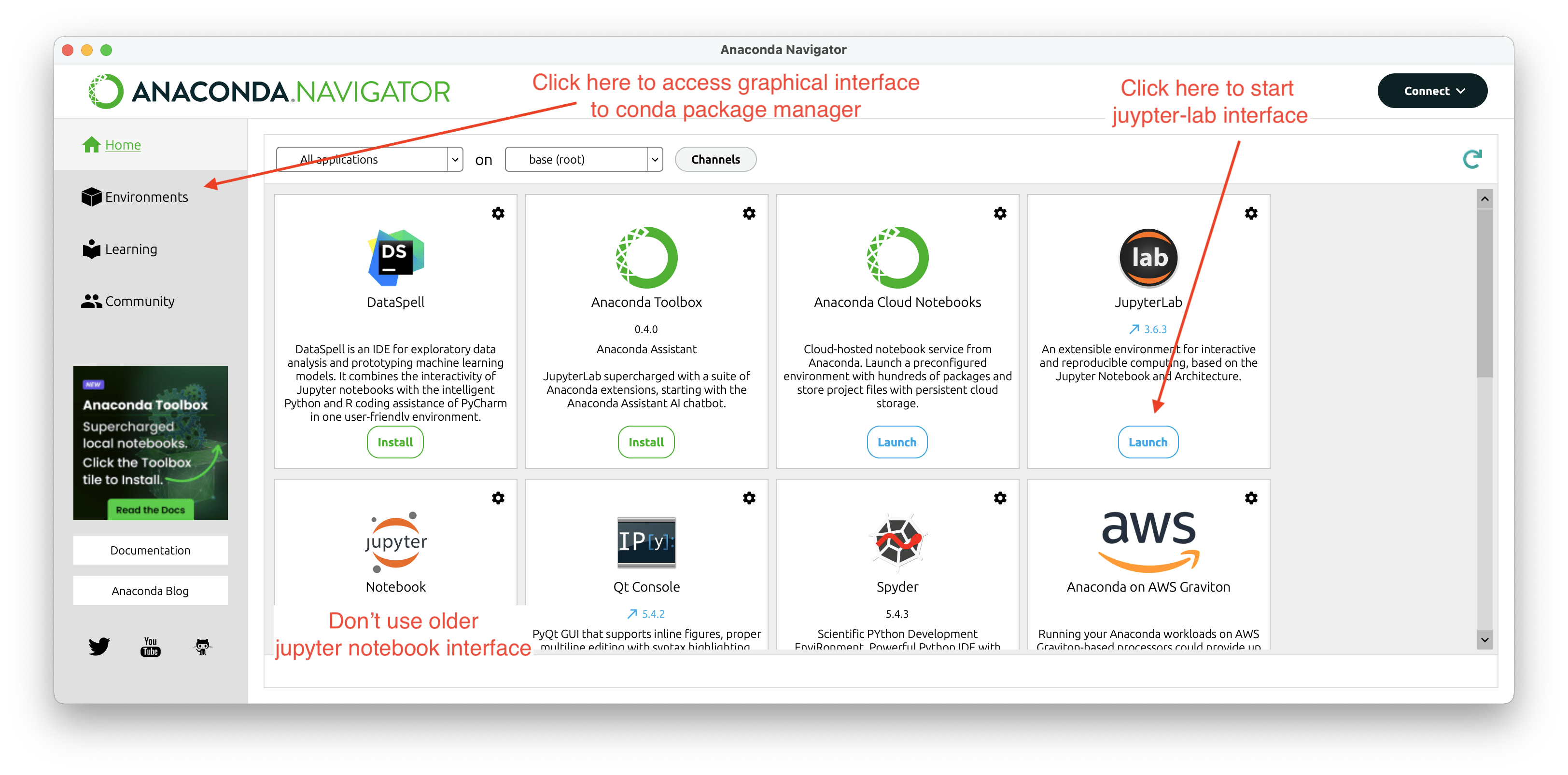
On launching the jupyter-lab you should see the following
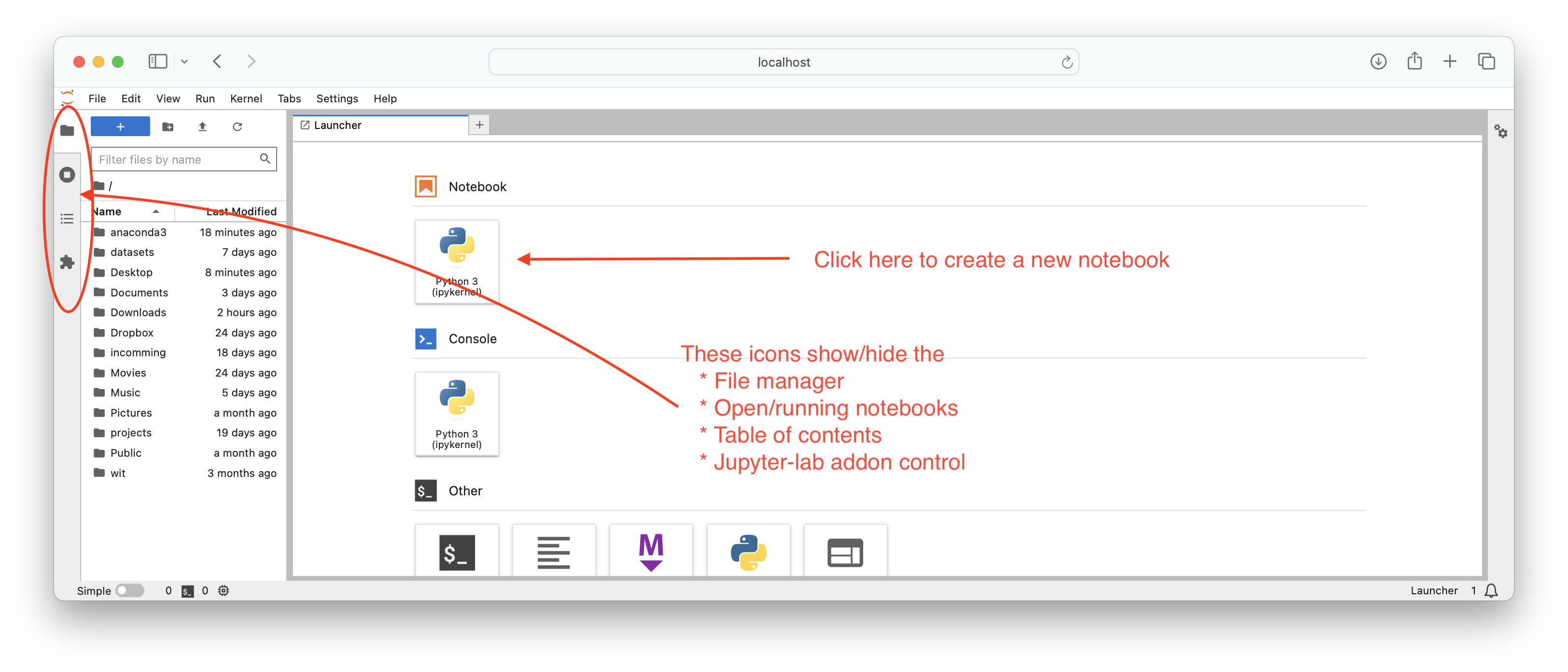
Now click on Python 3 notebook icon to get a new blank notebook:
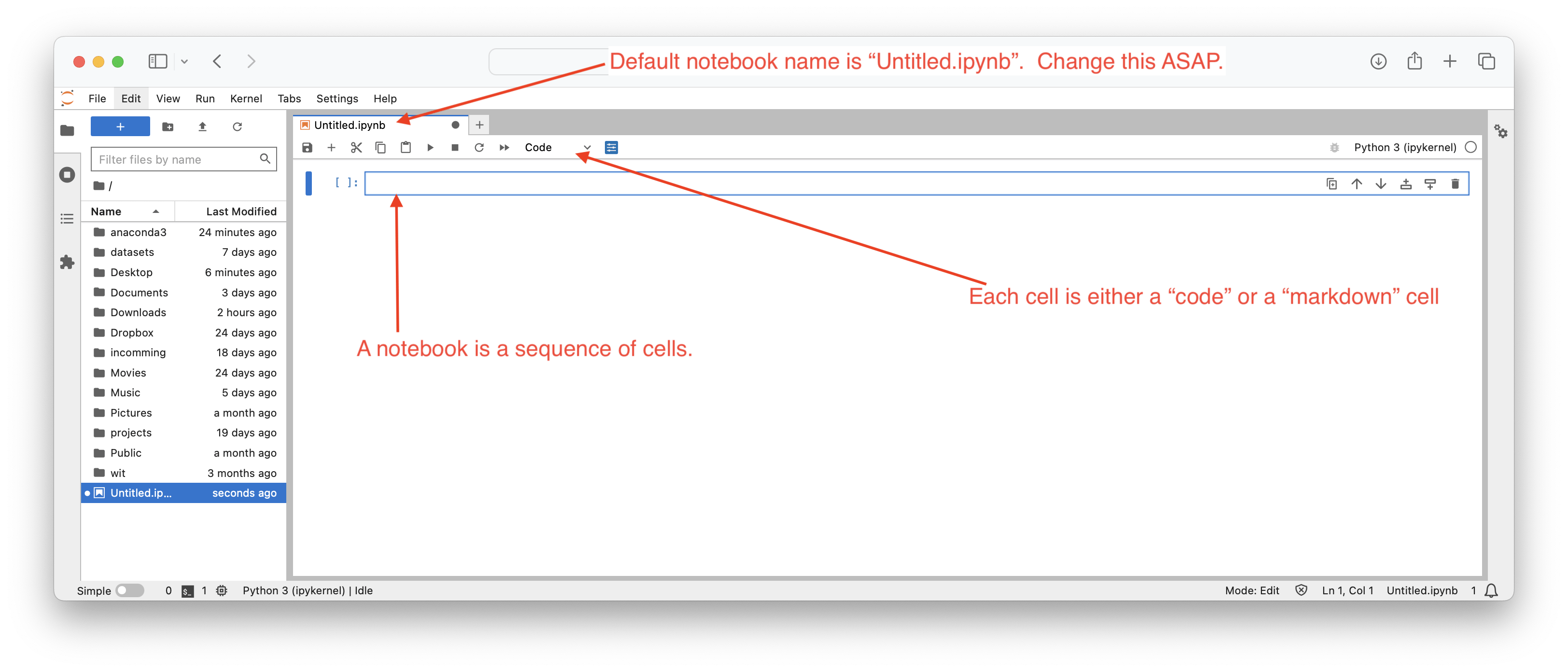
We will demo this interface in the pre-start lab, but for now our primary goal is that you have the software installed and working.
Now we are going to put python aside for a moment and review your existing data analytics skills using a small dataset.